Manage your money, business and home from one app.
Personal finance · Business management · Home+ for home and family. In the browser on the web, in the mobile app on your phone; all data in one account, instantly in sync.
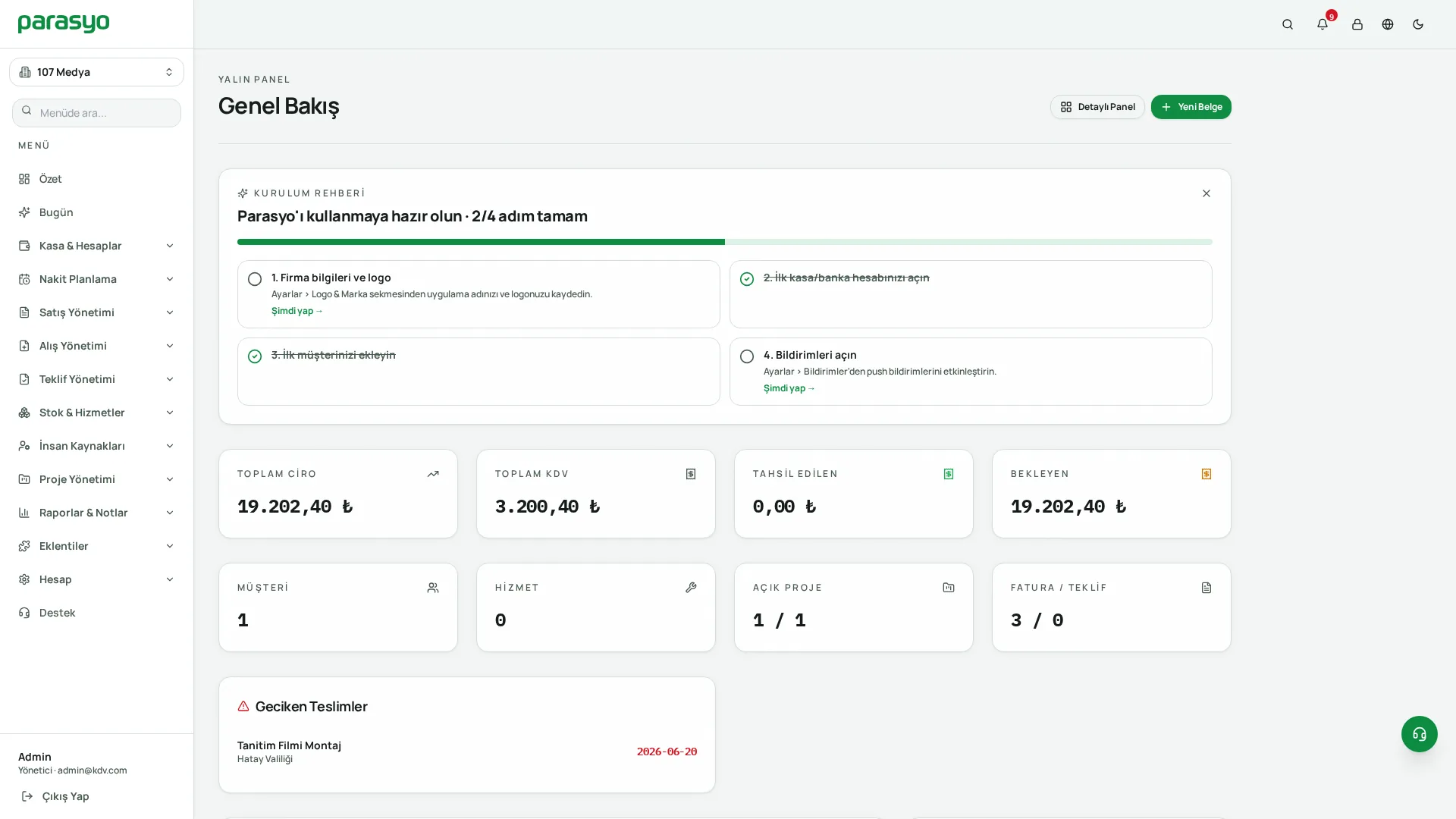
Personal money, business and home. All in the same app.
Most apps do a single job: one tracks your spending, one issues invoices, one counts stock. Parasyo connects them all. When you sell a product, stock drops, cash enters the register, the customer's current account updates, and your profit shows in the month-end report. One entry, four results.
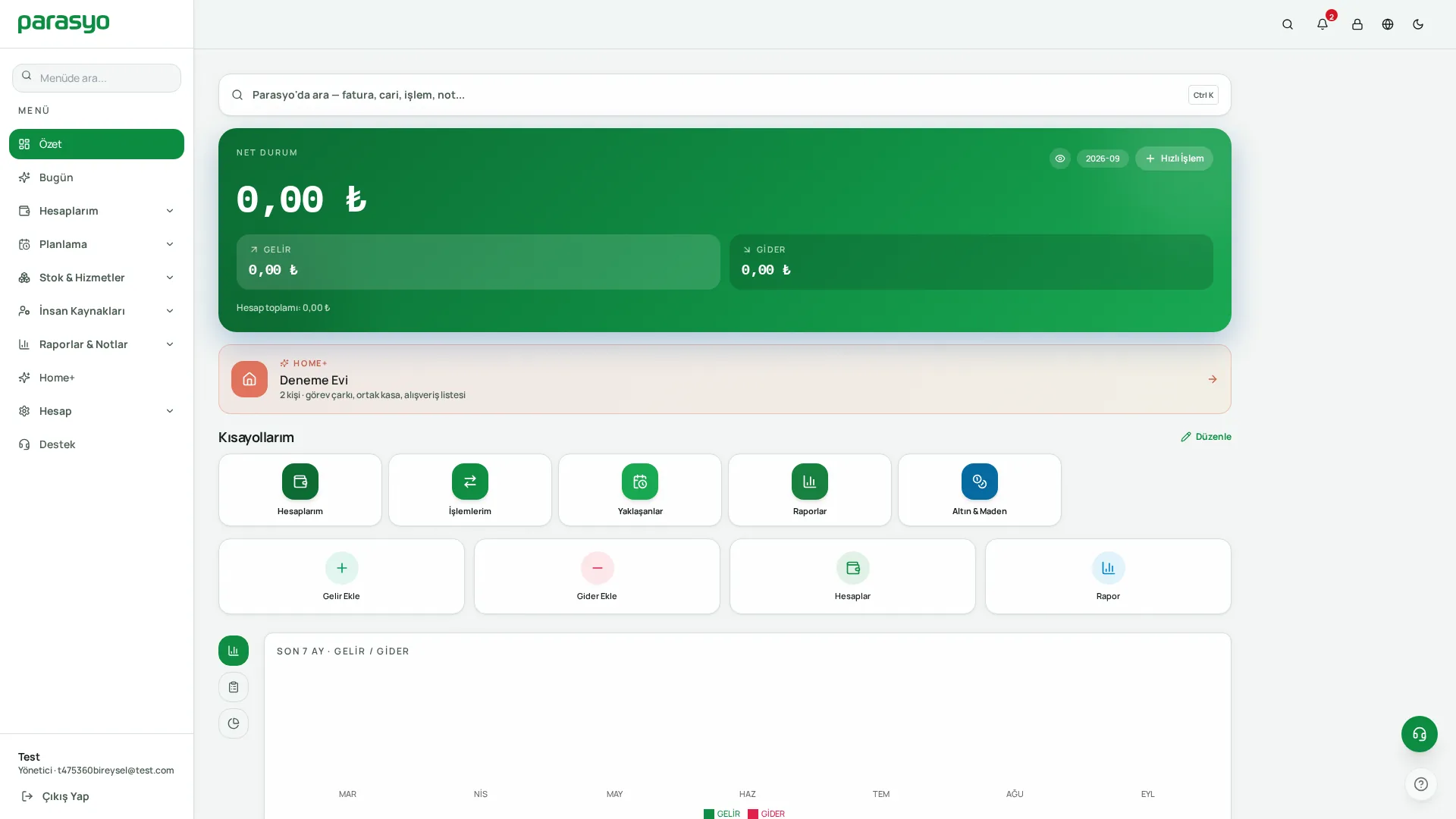
My Overview: your day, your month and upcoming payments on one screen.
Four separate worlds, four separate pains.
Scattered money tracking
People split their money across notebooks, spreadsheets and banking apps; the full picture is visible nowhere.
Ledger-book register management
Shopkeepers write the register, tabs and stock in a notebook; at month end the question “did I make money?” goes unanswered.
Heavy legacy software
Classic pre-accounting software is expensive, heavy and hard to learn; using it takes training.
The shared-budget fight at home
Shared expenses, bills and chores at home are a constant source of arguments.
Parasyo brought these four worlds into one interface and set one rule:
“Someone with no accounting knowledge should be able to use it on day one.”
The same account grows with you.
Personal & Business space
Personal accounts, spending, budgets, gold/FX, home & family management (Home+). The daily state of your money, on simple screens.
Corporate space
Cash & cards, customers/current accounts, quotes & invoices, stock, staff, projects, reports. The full operation of the business.
Whichever space the user works in, they only see its screens. Screens stay uncluttered and learning time shrinks. When the plan is upgraded, new screens unlock; no data migration, no reinstall, no second program.
Four profiles, one solution.
Individuals
“Where does my money go?”
- Those who want to see salary, cash, bank and credit cards in one place
- Savers, gold/FX holders, people trying to make ends meet
- Those who mix up credit card limit, current debt and due date
- Couples who want to manage the family budget together
- Start with the free plan; you can keep using it without ever paying
Shopkeepers and freelancers
“Those who want to close the notebook”
- Shops, workshops and services with a register, tabs and stock
- Hairdressers, plumbers, photographers, consultants, couriers, repair services, tutors
- Anyone selling products or services: records the sale, hands the customer a simple Sales Document
- Those who want to track promissory notes, current accounts and a daily register report
Companies and teams
“Those who want order”
- SMEs running a steady quote → order → invoice flow
- Those managing multiple companies/branches from one panel
- Those who want different permissions per teammate: “not everyone should see everything”
- Businesses tracking stock, warehouses, staff and project costs
- Those who want to send clean, regular reports to their accountant
Families and housemates
“Those running a home together”
- Homes with shared expenses: rent, dues, groceries, bills
- Families and housemates who want to share chores fairly
- Families with kids: a fun home routine with the task–point–reward system
No setup, no waiting.
Sign up
email and password; a verification link arrives.
Pick your space
personal or business.
Define your accounts
the cash in your wallet, bank account, credit card.
Enter your first transaction
either by hand or by snapping a photo of the receipt.
Set up your budget
groceries, transport, fun... set monthly limits.
Turn on reminders
rent, bills and instalments recur automatically.
Three extra steps for business users: import your product/service list, add your customers, create your first quote. All in 10 minutes. No setup, no server, no licence, no dealer appointment.
The daily state of your money, on simple screens.
My Accounts — all your money on one screen
- Account types: cash, bank, credit card, savings, gold & precious metals, current account (receivable/payable)
- Credit card smarts: total limit, available limit, current debt and due date shown separately
- Swipeable cards: swipe through all balances with a finger on your phone
- Statement PDF: one tap; with your logo, in a corporate look
- Multi-currency: FX accounts are valued automatically with Central Bank rates
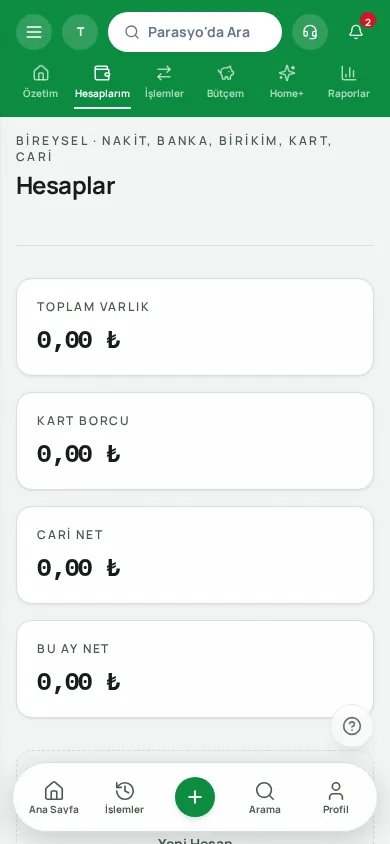
My Accounts: on credit cards, limit, available limit and debt never mix.
Transactions
Income, expense, transfer; sale, purchase, collection and payment for shopkeepers. Takes 5 seconds to record.
Budget
Category-based monthly budget; remaining amount and overspend alerts; shared tracking for the family budget.
Recurring & planned
Rent, salary and subscriptions are created automatically; future cash flow is visible in numbers.
Gold & FX
Gram gold, quarter gold, jewellery; daily valuation with Central Bank rates.
Cheques & notes
Due date, amount, collection status; reminders for documents nearing maturity.
Receipt scanning
Snap the receipt; amount, date and merchant fill in automatically, you just confirm.
Product & service sales
On the Premium and Pro plans: stock drops, cash enters the register, the current account is updated. A simple Sales Document PDF for every sale.
Reports
Category breakdown, monthly trend; PDF/CSV export and read-only sharing.
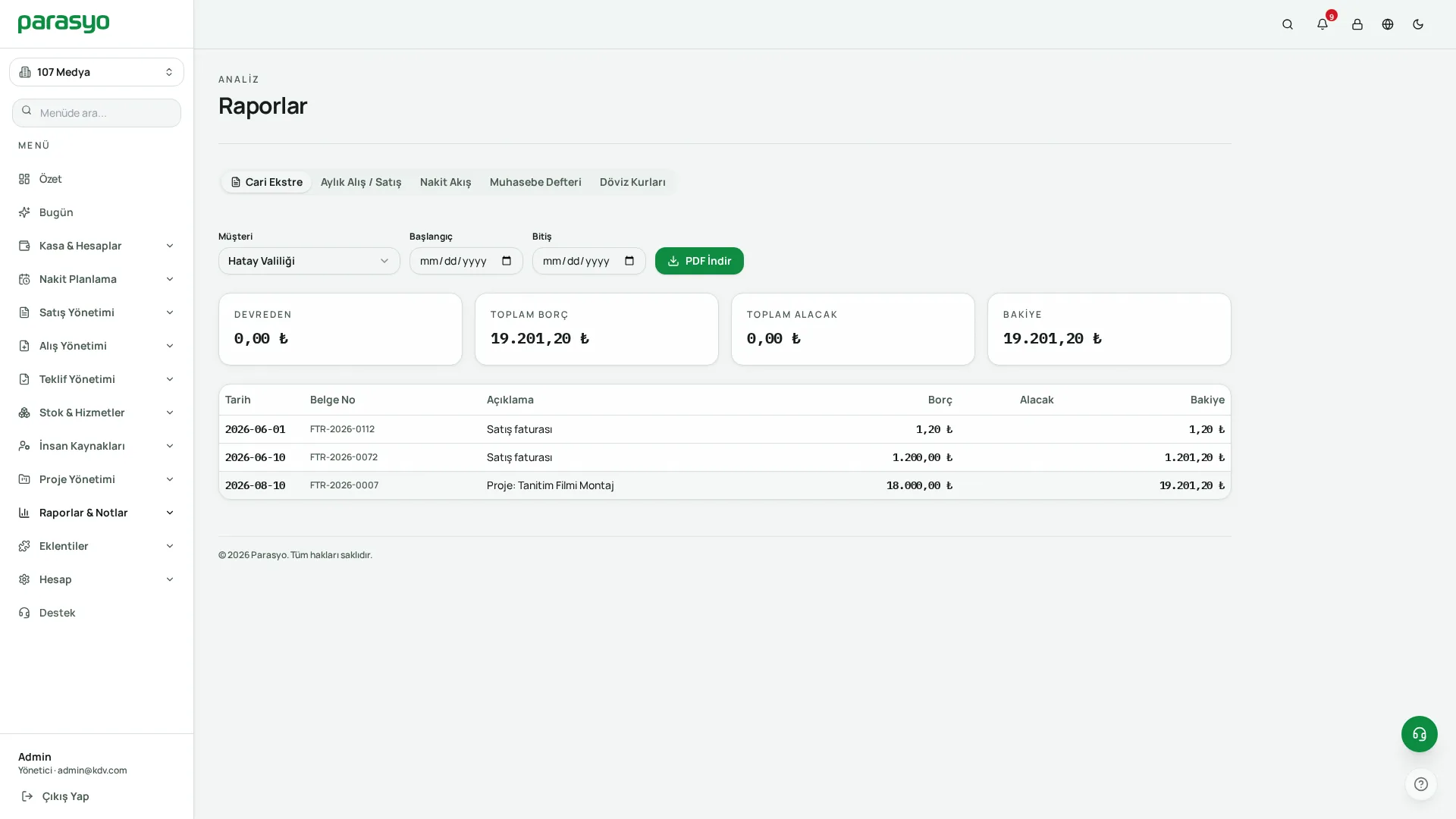
Reports: category breakdown and monthly trend; downloadable as PDF/CSV.
The Sales Document is for information purposes; it is not an official invoice and does not replace one. For businesses moving to e-invoicing, e-Invoice / e-Archive is included in the Premium and Pro plans.
The full operation of the business.
Cash & Cards
All company accounts, daily balances and transaction statements; transfers between accounts and reconciliation.
Expenses
Expense management with category, document, supplier and payment status; receipt/invoice images attached to the record.
Ledger and VAT
Auditable ledger; VAT rates, VAT-inclusive/exclusive calculation, quick VAT and discount tools.
Customers / current accounts
Contact details, balance, transaction history, statements; quick reconciliation via shared account statements.
Quotes, orders & invoices
Quote → order → invoice flow; itemised documents with VAT and discounts; payment tracking.
Stock & warehouses
Barcode, unit, purchase/sale price, VAT; warehouse-based stock; low-stock alerts; bulk import.
Staff & payroll
Employee cards, salary and payment records; payroll output; self-service with employee login.
Roles & permissions
Setups like “let them see the register, not the prices”; every user's action is in the audit log.
Projects
Project-based income-expense and profitability; see whether a job pays off before it ends.
Multi-company
Multiple companies/branches from one panel; data never mixes; switch with one click.
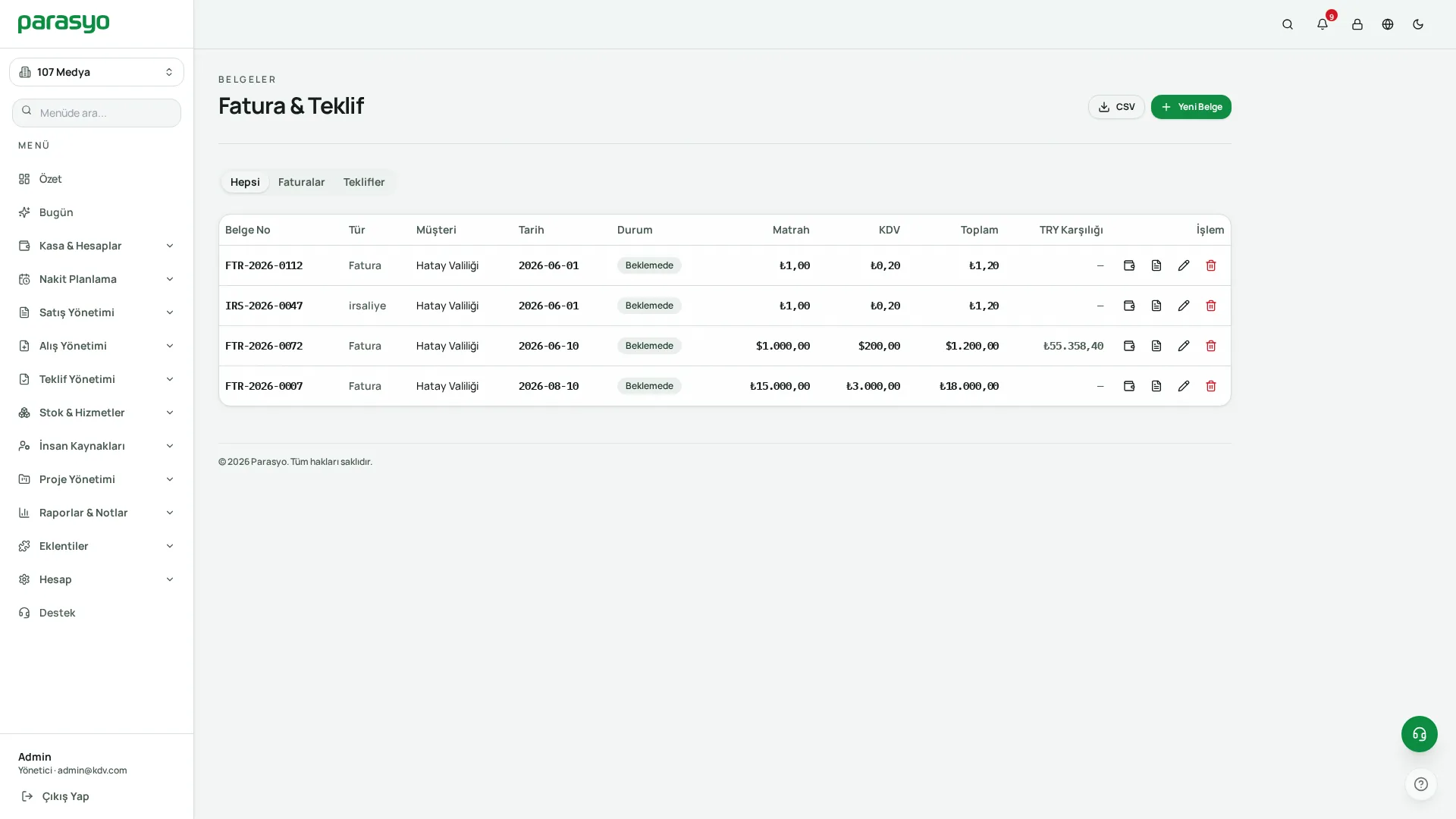
Invoices and quotes: itemised documents with VAT and discounts.
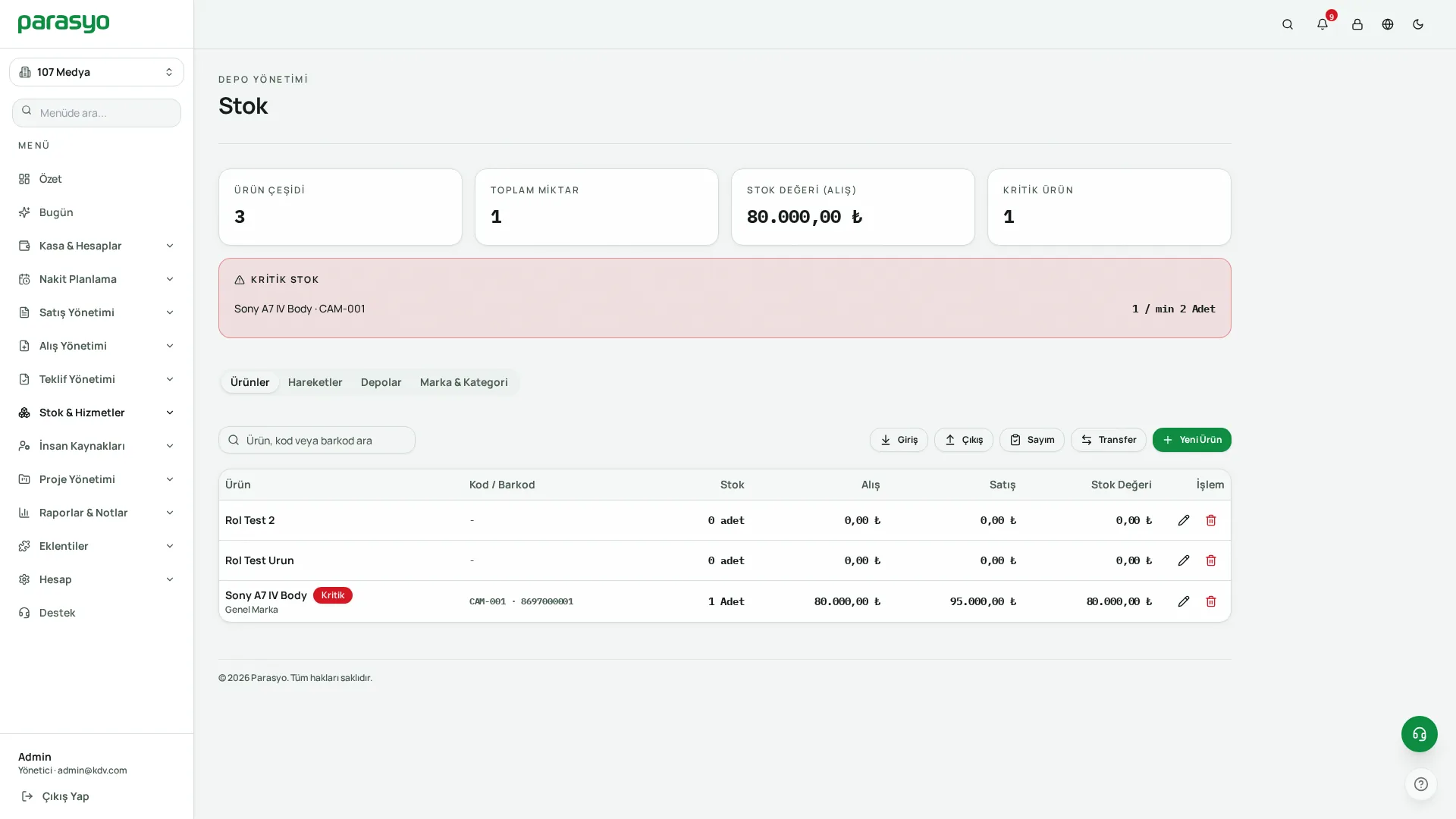
Stock: drops automatically with sales, alerts when stock is critical.
Chores are a game, not a fight.
Home+ is a home & family management space included in personal plans. The home owner opens the account and invites the family. Family members don't consume the plan's user quota.
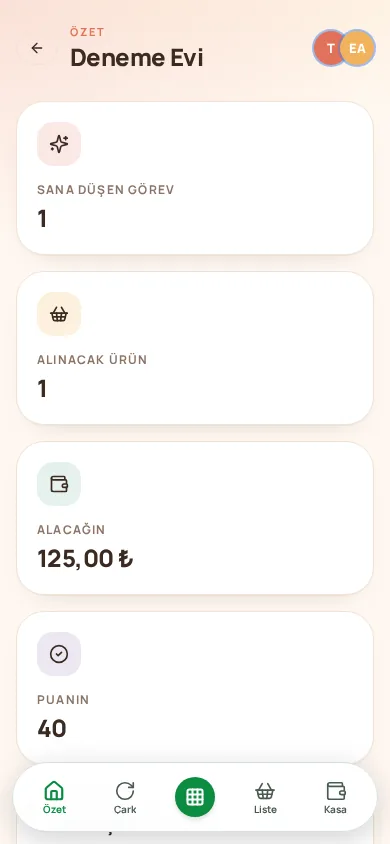
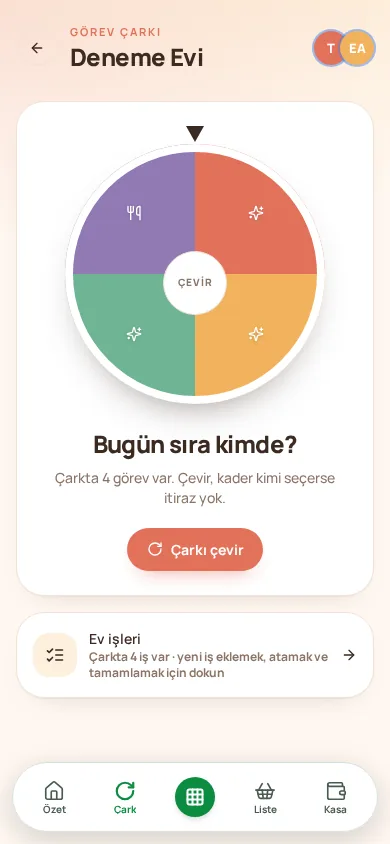
Task wheel
Spin the wheel, the chore lands on someone at random; no objections.
Shared expenses
Who paid what, who owes whom; one-tap settlement at month end.
Bills & rent
Due-date alerts, automatic splitting.
Shopping lists
A shared list; everyone is notified when an item is ticked.
Digital pantry
Household stock and expiry dates; running-low items drop onto the list.
Meal plan
Weekly menu; ingredients go straight to shopping.
Family calendar
Dues, birthdays, events; reminded when the time comes.
Periodic maintenance
Boiler, filters, window cleaning; set the period, we'll let you know.
Warranty documents
Appliance receipts in one place; warned before the warranty ends.
Digital memberships
The true monthly cost of subscriptions and the per-person share.
Home wiki
Wi-Fi password, boiler settings, caretaker's number; write once.
Points & badges
Doing tasks earns points; a pizza night from the reward shop.
Ready in your plan, all inside.
Modules are included in the plans and are not sold separately. Fast Sale (POS) comes with Premium and Pro; CRM, Document Management, HR+ and attendance come with Pro. Everything runs inside the main app; no separate program, password or database.
Advanced CRM
360° cards for customers, suppliers and dealers; lead → opportunity → quote pipeline (Kanban); activity log; team performance reports.
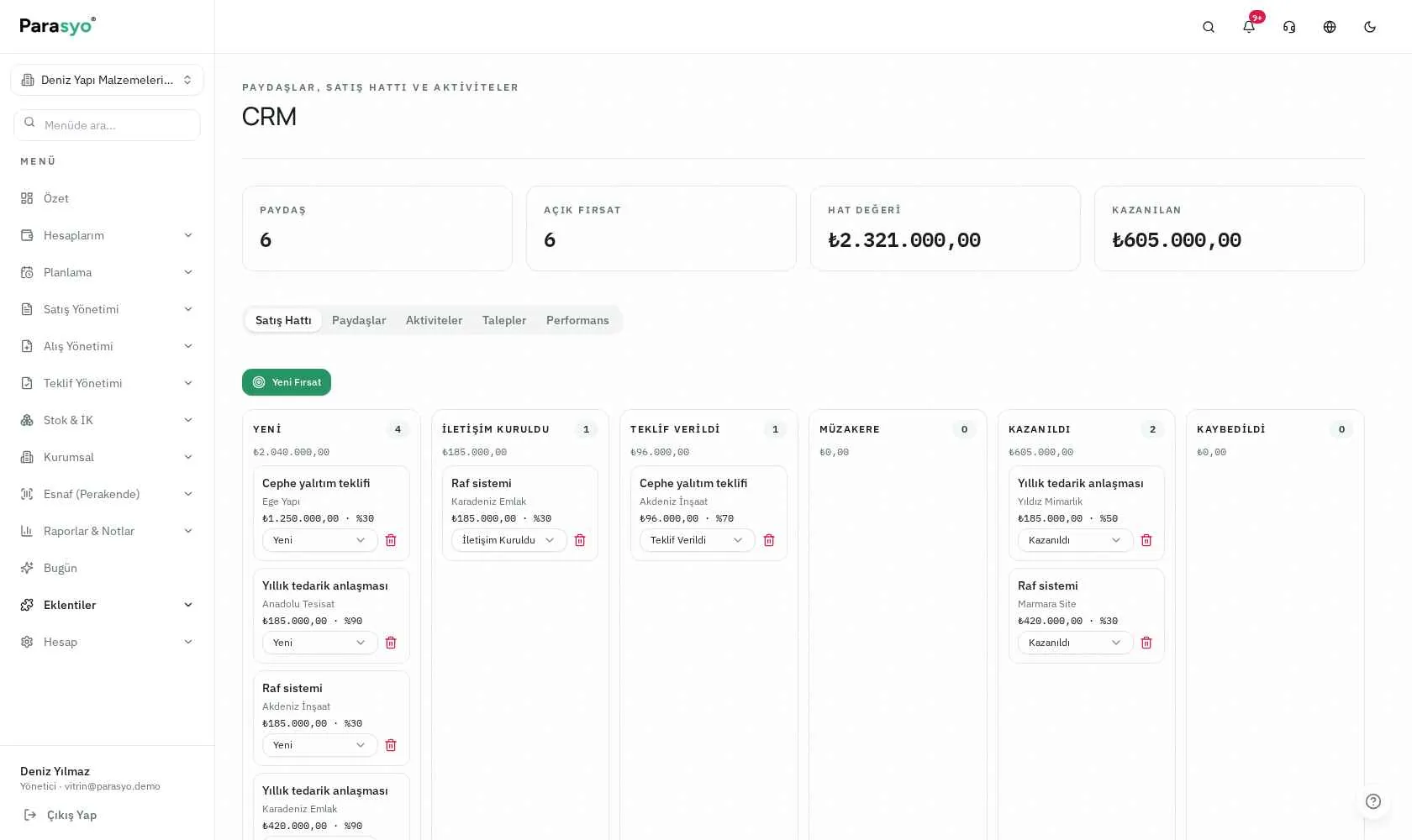
Advanced CRM: sales pipeline and 360° customer card.
Document Management (DMS)
Folder tree and smart tags; version history; metadata and advanced search; external sharing via link; audit report.
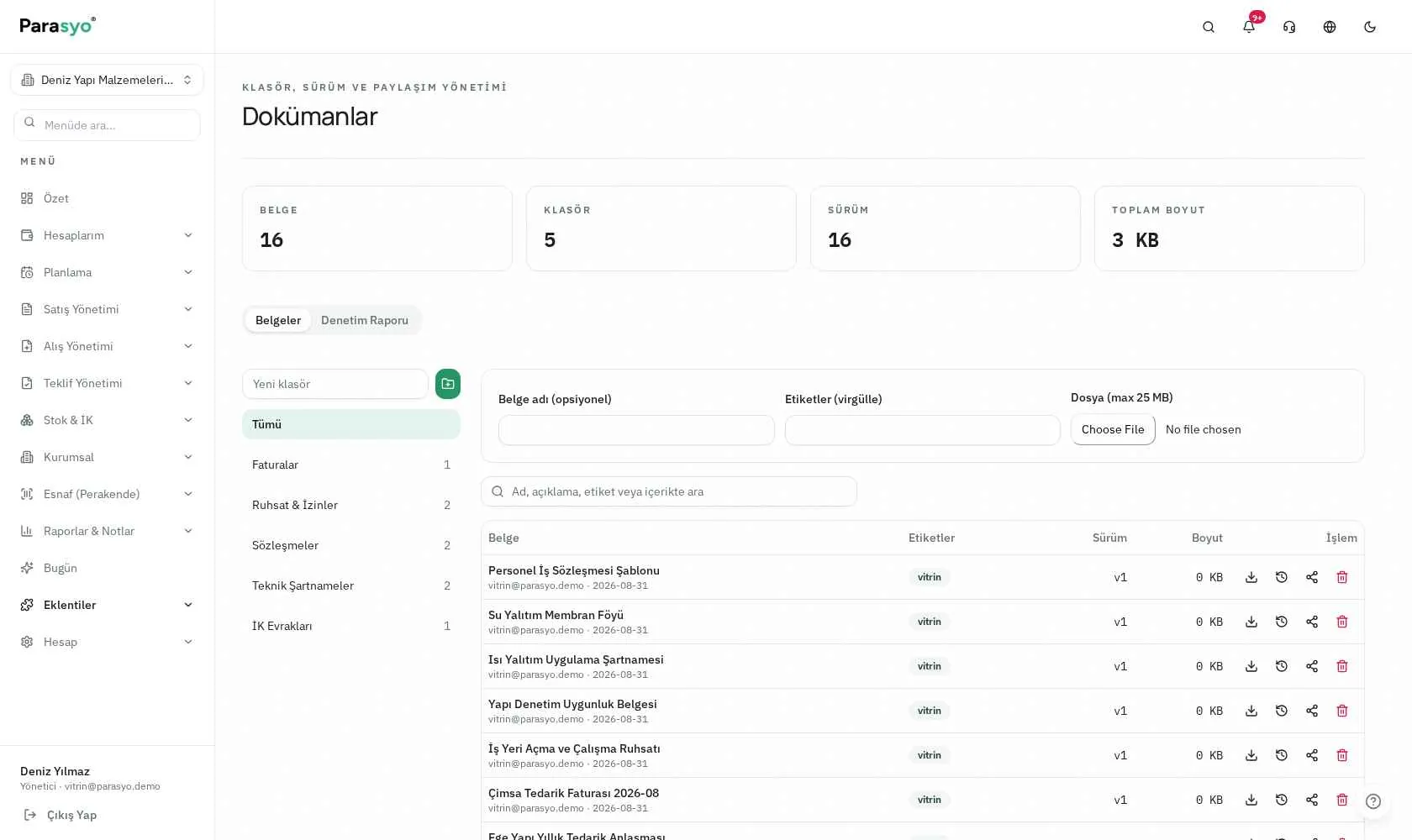
Document Management: folder tree, tags and version history.
İK+
Leave requests and approval flows; asset assignment tracking; hiring with a candidate pool; performance and training records; employee self-service portal.
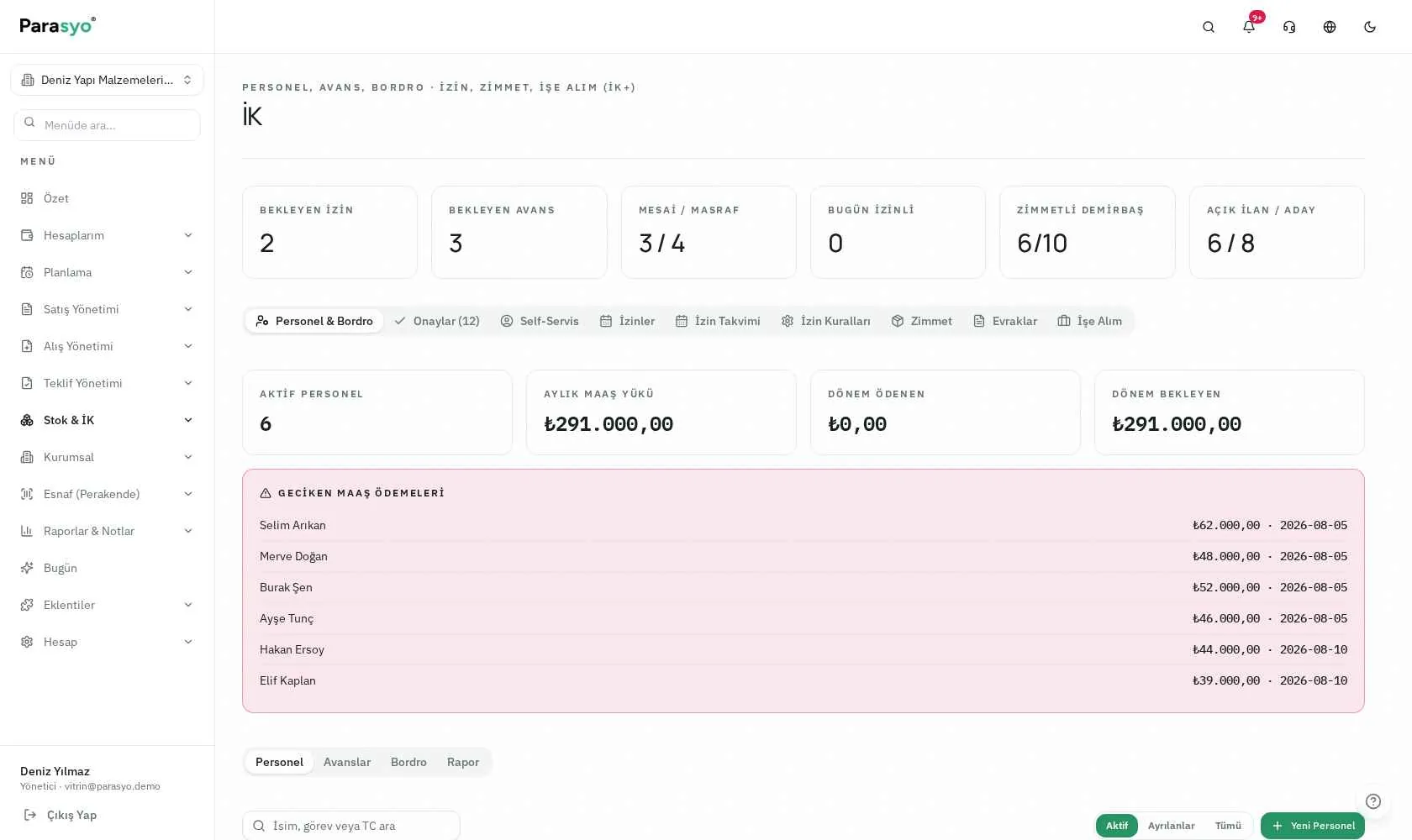
HR+: employee cards, leave and asset tracking.
PDKS · Time & Attendance
Comes with HR+. QR-based clock-in/out, no extra hardware; GPS verification; live list; monthly timesheets and overtime flow into payroll.
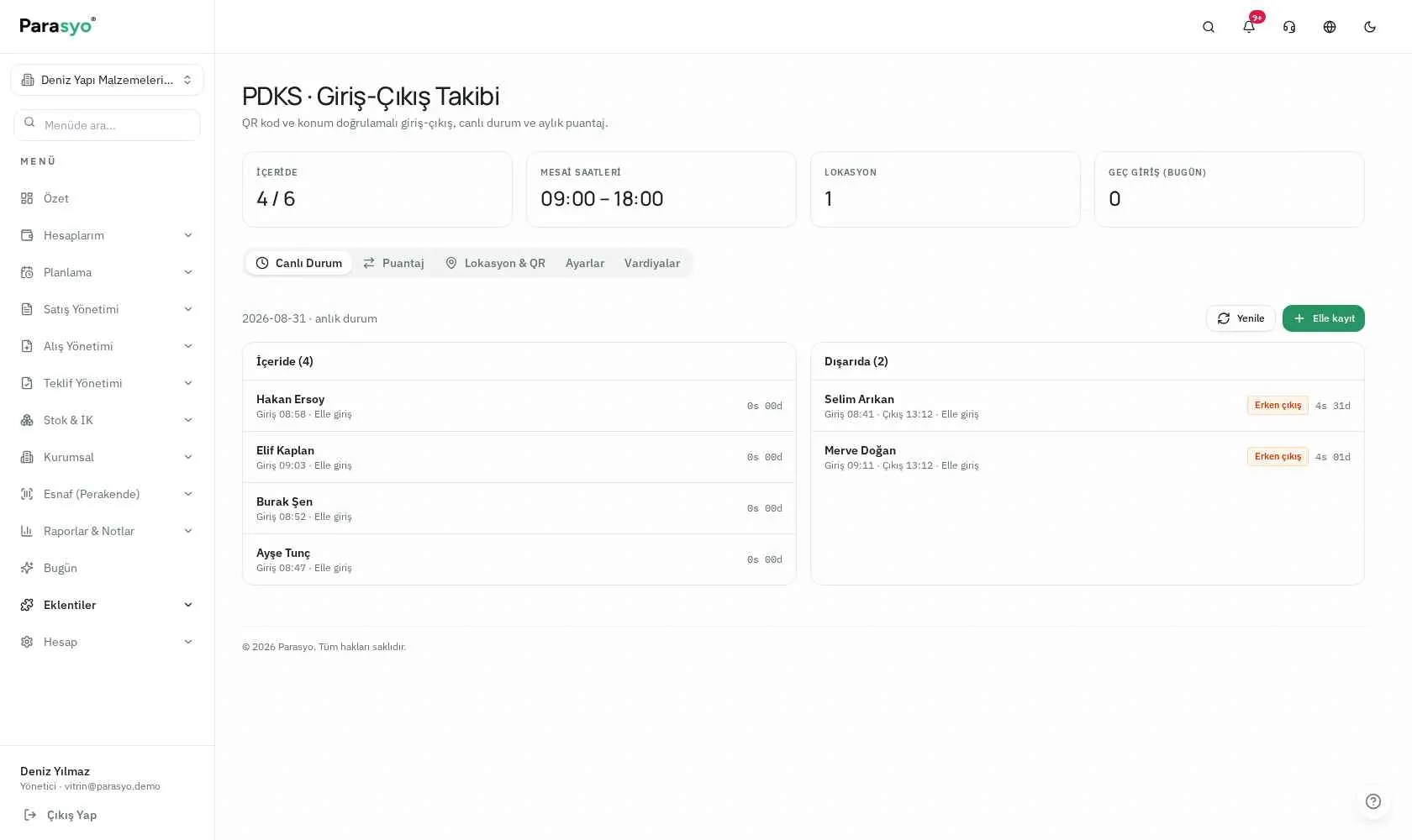
PDKS: live clock-in/out and timesheets.
Fast Sale (POS)
Fast sale by scanning barcodes, a visual product screen; cash/card/tab and split payments; tab tracking; 80 mm thermal receipts and Z reports; register open/close variance and end-of-day report.
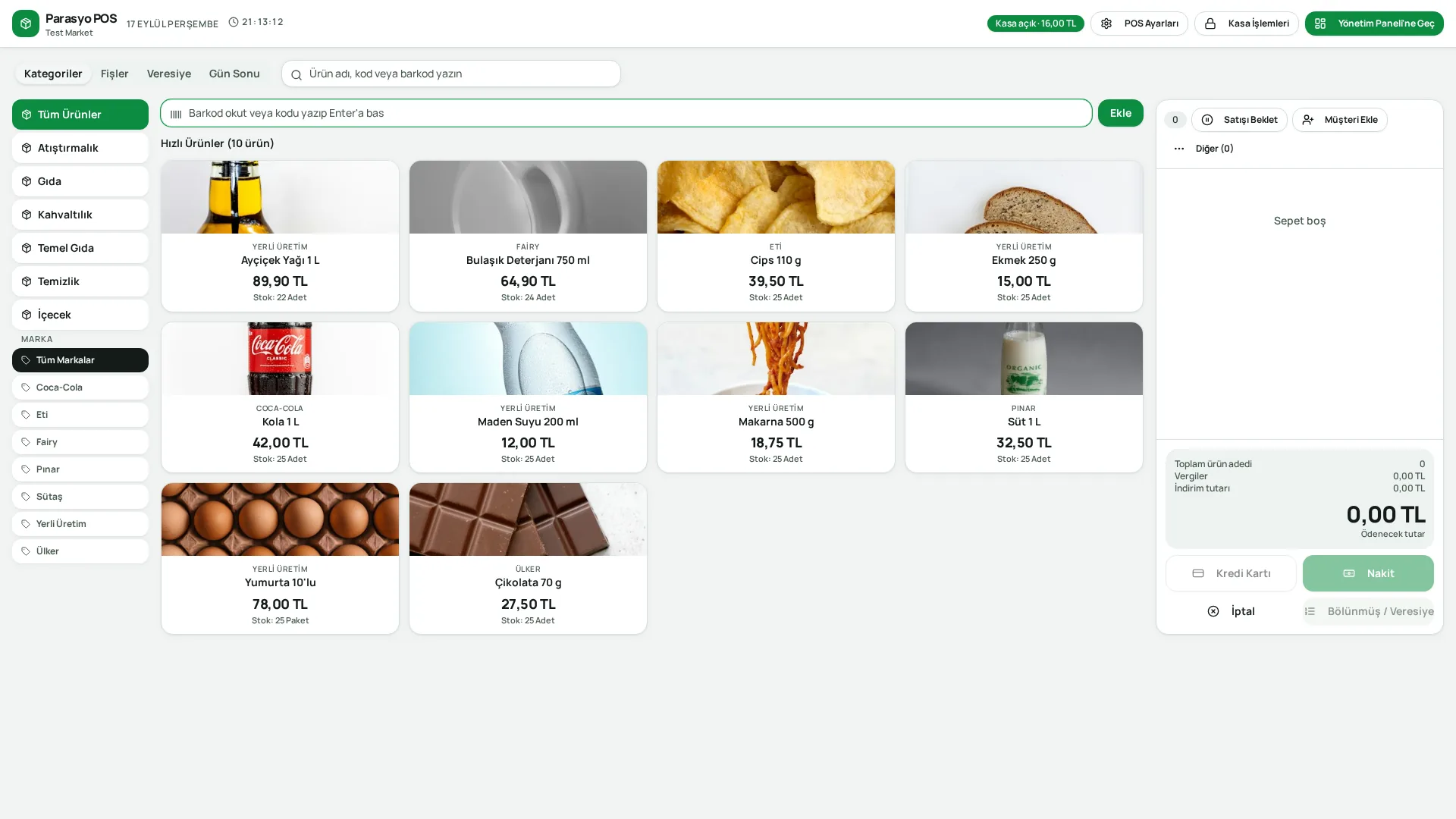
Fast Sale (POS): barcode sales, tabs and end-of-day report.
Same account, same data, every device.
A full panel on desktop; a fast, simple app on the phone, designed for one-handed use.
- Bottom menu and bottom sheets: within thumb's reach
- Swipeable account cards, big touch-friendly buttons
- Quick-add menu: income, expense, transfer, sale, snap receipt
- Notifications: upcoming payment, budget overspend, home tasks, support replies
- Biometric login (fingerprint/face) and app lock
- Secure subscription management via the app store
- Same account, same data: a transaction entered on the phone appears on desktop instantly
Your data is yours, period.
Data separation
Every user's and company's data is kept in a separate space; a mandatory rule across the app.
App lock
PIN + biometric verification; see active devices, sign out remotely.
Role-based access
Users only see the screens and data they are authorised for.
Audit log
Extra verification on critical actions plus a transaction log.
Password security
Passwords are stored irreversibly; reset requires email verification.
Data control
Account deletion requests and data control are in the user's hands.
12 · Four languages, one experience
- Right-to-left (RTL) layout support for Arabic
- System messages and emails are in the user's language too
- Currency, date and number formats per country
- Up-to-date rates sourced from the Central Bank
Start small, grow with the same account.
| ParasyoFreepersonal · free | Plusindividuals & family | Premiumshopkeepers & small business | Procorporate | |
|---|---|---|---|---|
| Personal finance, accounts & budget | ||||
| Receipt scanning (AI) | ||||
| Product / service sales & Sales Document | — | — | ||
| Reports | Advanced | Advanced | ||
| Home+ participation | — | — | ||
| Record quota (slot pool) | Basic | High | High | High |
| Cheque / note tracking | — | |||
| Home+ home ownership | — | — | — | |
| Sharing the account with family | — | — | — | |
| Priority support | — | |||
| Fast Sale (POS) | — | — | ||
| Tab (open account) tracking | — | — | ||
| Cash desk & card management | — | — | ||
| Customer / current account & supplier management | — | — | ||
| Stock, warehouse & expense management | — | — | ||
| Staff (HR) tracking | — | — | ||
| VAT rates | — | — | ||
| e-Invoice / e-Archive (integrator fee excluded) | — | — | ||
| Quotes, orders, invoices & waybills | — | — | — | |
| Ledger | — | — | — | |
| Payroll, advances, leave & attendance | — | — | — | |
| Advanced CRM | — | — | — | |
| Document Management (DMS) | — | — | — | |
| Projects, roles & permissions | — | — | — | |
| Multi-company | — | — | — |
Shared slot pool — pay as you use: 1 account = 1 customer = 1 product = 1 service = 1 employee = 1 slot. You spend your quota wherever you need it; unused areas don't go to waste. When the quota fills up, extra capacity is provided via a support ticket; upgrading is not mandatory.
Who uses it, and how?
Ayşe the hairdresser “From appointment to register”
She defined her services once. When a customer gets up, she makes a Service Sale from her phone; anyone asking for a tab goes into their current account. At day end she checks the register report, at month end which service brought in what.
The win: The notebook habit is gone; turnover is known by numbers, not guesswork.
Murat the repairman “Parts + labour”
He defined spare parts as products and labour as a service. Part sales drop from stock, labour is recorded as a service, and both enter the register.
The win: Parts stock never goes wrong; it's clear whether profit comes from parts or labour.
A 3-person flatshare “Settling-up day is over”
Rent, dues, internet and groceries are shared expenses in Home+. The system records who paid what; who owes whom is on one screen at month end. The task wheel deals out the dishes.
The win: The “I paid last month” argument is over.
A family “The kids join in too”
Bills are on the Home+ calendar; kids earn points for doing tasks and buy a pizza night from the reward shop with points. Warranty documents and the home wiki are shared memory.
The win: Chores are a game, not a fight.
A 12-person business “Not everyone should see everything”
Sales sees quotes, the warehouse sees stock, accounting sees invoices, the owner sees reports. A second company on the same panel; leave is tracked via QR with HR+ and PDKS.
The win: Four separate programs and three spreadsheets collapsed into one app.
What changes is order.
| Topic | Before | With Parasyo |
|---|---|---|
| Expense tracking | I kept it in my head | Every transaction recorded and categorised |
| Receipt entry | I typed them one by one at night | A photo of the receipt is enough, fields fill automatically |
| Tabs | A tick in the notebook | Current account, balance, statement, reminders |
| Stock | Month-end counting shock | Drops automatically with sales, low-stock alerts |
| Credit card | “How much do I owe?” | Limit, available limit, debt and due date shown separately |
| Profit & loss | Guesswork | Reports: breakdown by category, customer, product, project |
| Data for the accountant | A pile of photos | PDF/CSV in one click, tidy |
| Home expenses | The “I already paid” argument | Who paid what, who owes whom — crystal clear |
| Team | Everyone saw everything | Role-based permissions, audit log |
| Number of tools | 3-4 separate tools | One app, all connected |
Why Parasyo?
A rare solution combining personal + business + home management in one app.
Grow from the free plan to corporate with the same account; no data migration, no reinstall.
Sales on Premium and Pro plans: products and services can be sold, with a simple sales document.
Shared slot pool: spend your quota where you need it; no rigid moulds forced on you.
Grow with extra slot packs: when you hit the limit, you don't have to jump to an expensive plan.
AI receipt scanning, even in the free plan.
Home+: a home & family management world with no rival equivalent.
A real mobile experience: not a shrunken desktop, an interface designed for one hand.
Role-based permissions and audit log open to small businesses too; no need to wait to be “corporate”.
Four languages and RTL support: emails and system messages are translated too.
Branded outputs: PDFs with your logo and colour; you look professional to your customers.
The simplicity principle: users with no accounting knowledge can start on day one.
What people ask.
Concepts, made clear.
Current account
The record of what a customer/supplier owes or is owed. The digital version of the “tab notebook”.
Slot
The record quota unit. 1 account, 1 customer, 1 product, 1 service or 1 employee = 1 slot.
Recurring transaction
A record created automatically on set days, like rent, subscriptions or instalments.
Planned transaction
A one-off, future-dated record. Visible in future cash flow.
Statement
The transaction statement of an account or current account for a given period.
Sales Document
A simple PDF output of a sale. For information purposes; not an official invoice.
Role
A permission set defining which screens a user can see and which actions they can take.
Module
An extra capability that comes included with plans (POS, CRM, DMS, HR+, attendance). Not sold separately.
No card details, no setup, no contract.
Define your accounts in 10 minutes and enter your first transaction. When your business grows, switch to the corporate side with the same account.